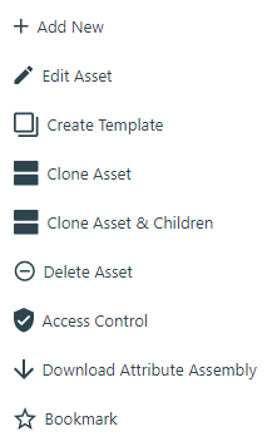
Below table listed the function name and description of asset element function dialog which help user to organize and manage their asset and device inside the tree list view working space, the function dialog will pop up for specific selected asset element when user mouse right clicks on it. User must click on “Save” button to save the changed setting after configuration.
| Function Name | Description | |
|---|---|---|
| + Add New | Create and add a new child asset element to selected asset element. | |
| Edit Asset | Edit the setting of selected asset element. | |
| Create Template | Create an Asset Template for selected asset element. | |
| Clone Asset | Copy and clone an asset element of selected asset element. | |
| Clone Asset & Children | Copy and clone an asset element and its child element of selected asset element. | |
| Delete Asset | Delete the selected asset element. | |
| Access Control | Configure the setting of object-based security access control permission for selected or all asset elements/object. | |
| Download Attribute Assembly | Download asset element attribute to use it for Data Insight Report Management design. | |
| Bookmark | Bookmark selected asset element; the asset element will list under the Bookmark of element tree list view for user to quick access it. | |